How UK offices can fix hybrid meeting audio and room booking

How UK offices can fix hybrid meeting audio and room booking
Hybrid working is now part of everyday life in most UK offices, yet many meeting rooms still struggle to support it. Colleagues dial in from home and hear only echo, while those in the room cannot find a space that suits their call. Fixing hybrid meeting audio and room booking is no longer a nice-to-have, because reliable sound and simple scheduling shape how productive a meeting feels. The two problems are linked: if staff cannot find the right room, or the room does not perform as expected, confidence in the whole setup falls. Office managers and IT teams therefore need to treat both as one workplace challenge. This article explains the common causes and the practical steps that make a difference.
Why hybrid meeting audio fails in UK meeting rooms
Most audio complaints come from room design rather than the conferencing platform. Glass walls, hard floors and large tables create echo and reverb, which makes speech hard to follow for remote participants. Built-in laptop microphones add to the problem because they cannot pick up several speakers evenly across a room. Staff also lose time when they are unsure which microphone, speaker or camera is active, particularly when switching between in-room hardware and personal devices. The result is a meeting where remote colleagues struggle to contribute and in-room attendees repeat themselves. Software settings alone rarely fix this, so the answer starts with the physical space and the equipment inside it.
Equipment and room standards that improve hybrid meeting audio
Professional microphones and speakers are the foundation of a dependable room. Beamforming ceiling microphones, line-array microphones and room-filling speakers help capture voices clearly and deliver them evenly. Acoustic treatment, such as wall panels and soft furnishings, reduces echo and improves clarity. It also helps to standardise rooms by size, so that huddle rooms, mid-size meeting rooms and boardrooms each get a suitable setup rather than one generic design. Specialists such as Biamp Europe offer integrated audio, conferencing and control products that are designed to work together across different room types. A consistent approach makes rooms easier to support and far easier for staff to use.
Smarter room booking for hybrid teams
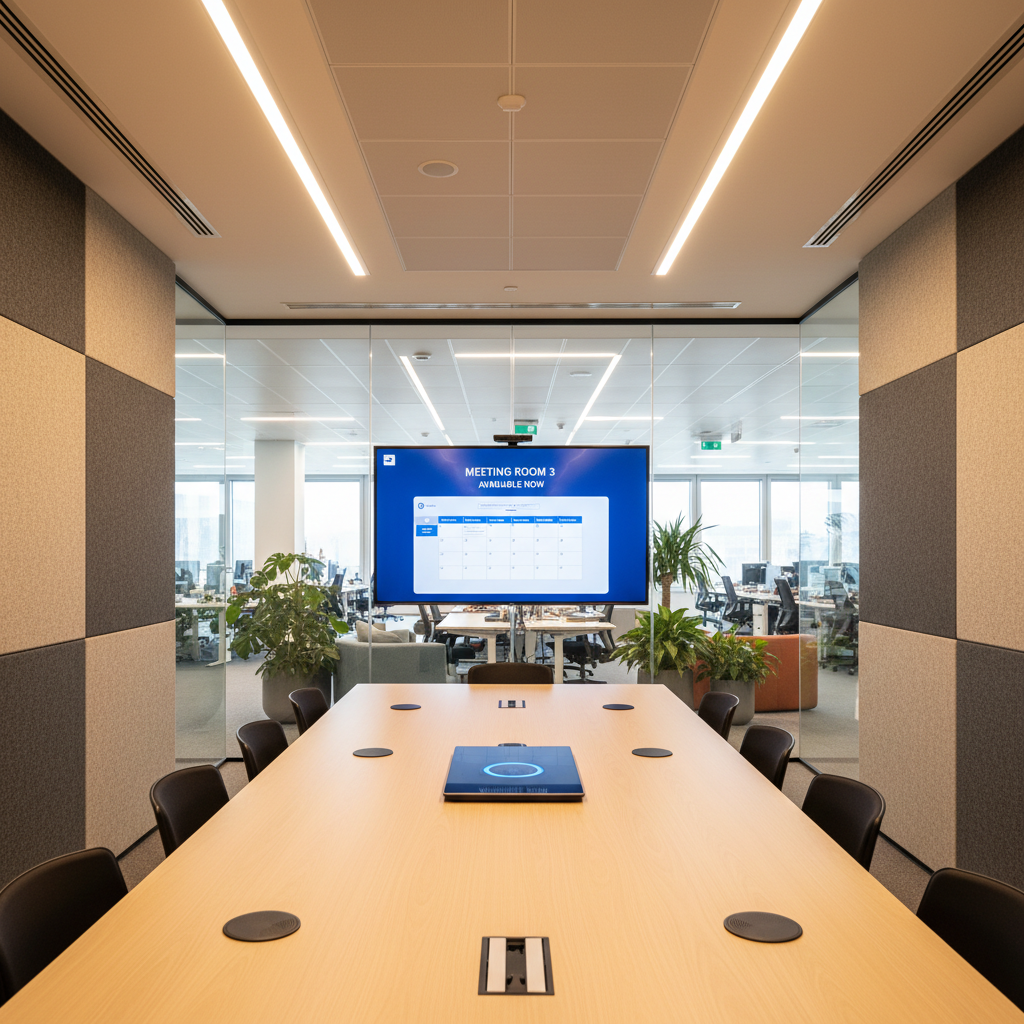
Good audio only helps if people can find and reserve the right room. Modern booking tools show live availability, capacity and equipment, so staff can filter for a room with video conferencing before they commit. Calendar integration with Outlook and Teams keeps scheduling familiar, which suits the many UK workplaces already built around Microsoft tools. Door panels or LED indicators show at a glance whether a room is free, booked or in use, reducing double-booking and awkward interruptions. Mobile booking is also valuable for teams that move between floors or sites. Linking booking data to AV status means a meeting that needs a camera and ceiling microphones is never placed in a room that cannot provide them.
A practical checklist for office managers
Start by auditing existing rooms and noting which suffer from echo, weak pickup or confusing controls. Group them by size and purpose, then set a clear standard for the microphones, speakers, cameras and displays each type should have. Introduce one-touch join and a Bring Your Own Meeting option so that users are not forced into a single platform. Update your booking system so that equipment details and hybrid labels appear before a room is reserved. Finally, gather feedback from staff and review room utilisation data, since both show where problems remain. Better audio and smarter booking improve productivity and make meetings fairer for remote colleagues, while helping organisations get more value from the space they already have.